
Walgreens review
 Analysis by GetAllApps
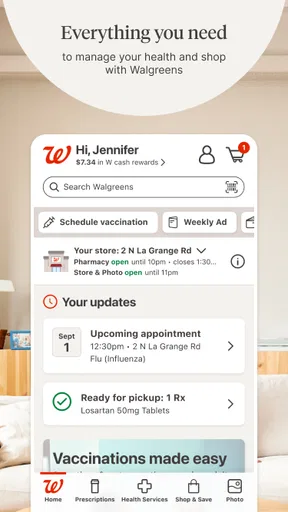
I think of Walgreens as a practical errand app rather than a complete replacement for every pharmacy or shopping service. It brings pharmacy tasks and retail browsing together, which can be handy when I already plan to visit Walgreens or want to handle a routine task from my phone. The trade-off is that a combined app can feel less straightforward than a focused pharmacy tool: what you need may depend on which part of the service you are trying to use and whether your account details are in order.
Where everyday use can get stuck
The app is developed by Walgreens Co and sits in the shopping category, though its pharmacy tools are a major reason many people open it. I would judge it by whether it helps with a specific errand: checking on a prescription, finding an offer, arranging a photo task, or browsing products. It is free, and the broad mix can save time if those are already Walgreens errands for you.
The first likely snag is not a dramatic technical failure but a mismatch between what you expect and what the app can do for a particular task. Pharmacy information, coupons, photos, and shopping are different workflows. A person opening the app to solve one urgent problem may have to orient themselves before reaching the relevant area. I recommend starting with one task at a time rather than trying to explore the whole app while standing in a queue.
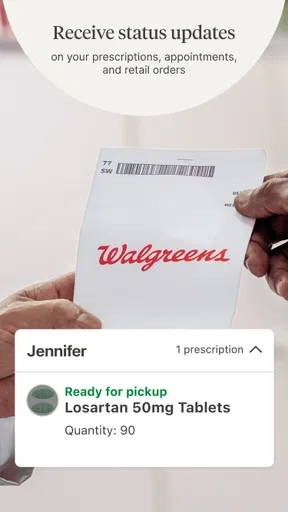
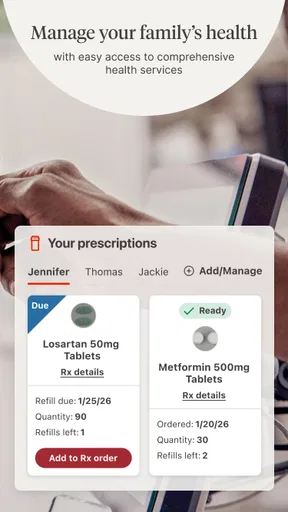
Account details matter especially when the task involves prescriptions. If an item or status does not appear as expected, first check that you are signed into the account you intended to use and that the information you entered is accurate. I would avoid repeatedly submitting the same request while unsure whether the first attempt went through; pause, review the screen, and use the appropriate pharmacy contact route if the matter is time-sensitive.
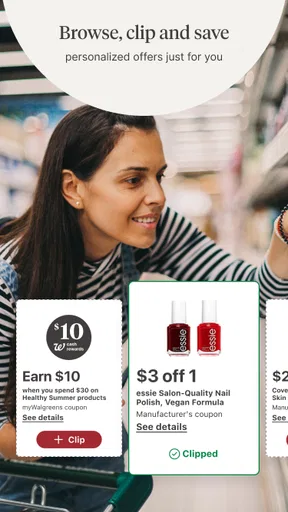
Coupons can also create a small expectation gap. Seeing an offer in an app is not the same as confirming that it applies to the exact product and purchase you have in mind. Before relying on a discount, read the offer’s terms and check the item details. That simple habit is more useful than assuming every coupon will apply automatically at checkout.
Do a quick setup check before an important errand
Before using the app for something you need that day, I would sign in while I have a moment, check that the account is the right one, and make sure the phone has a working connection. This is ordinary preparation, but it matters more when you are trying to coordinate a prescription or confirm shopping information away from home. If the app behaves oddly, closing and reopening it and checking for an available update are sensible first steps; they do not guarantee a fix, but they can rule out a temporary hiccup.
The current version is 117.1, and the minimum operating-system requirement is version 10. If an older device cannot install or update the app, checking its operating-system version is a useful first diagnosis. That is different from an account issue: updating the phone may address compatibility, while signing in again may address a session problem. Separating those possibilities can save time and prevent unnecessary changes to account details.
I would also prepare for the task itself. For a pharmacy errand, have the relevant information at hand and leave enough time to resolve a question rather than assuming the app will settle every detail instantly. For a shopping trip, check the product and offer information before setting out. The app is most helpful as a planning and convenience tool; it should not be the only plan for a time-critical health need.
One useful habit is to take note of what the app actually confirms, rather than what you hoped it would confirm. A screen that shows a task is still in progress is not the same as a completed action. If you are unsure, revisit the relevant section once, look for a clear status, and then contact the appropriate Walgreens team if the answer affects whether you can safely proceed.
Recovering a workflow without making it worse
When a task stalls, I would retrace the steps in the same section instead of jumping between pharmacy, shopping, and coupon areas. Confirm the account, revisit the item or request, and see whether the app provides a clear next step. If the screen remains confusing, stop before submitting duplicate information. This is a practical safeguard for any app workflow where a repeated action could create uncertainty about which request is current.
For a prescription-related question, the app can be a convenient place to begin, but it is not a substitute for a direct conversation when the issue is urgent or clinically important. If something appears inconsistent, contact the pharmacy rather than guessing based on a screen. I see that as a strength of using the app realistically: it can make routine tasks easier without pretending every pharmacy question belongs in a self-service flow.
For offers, a useful recovery step is to return to the offer details and compare them with the product you intend to buy. If the discount does not seem to fit, check the conditions before assuming that the app or the checkout process is broken. This matters most when planning a purchase around a particular saving; a few seconds of checking can prevent an inconvenient surprise at the register.
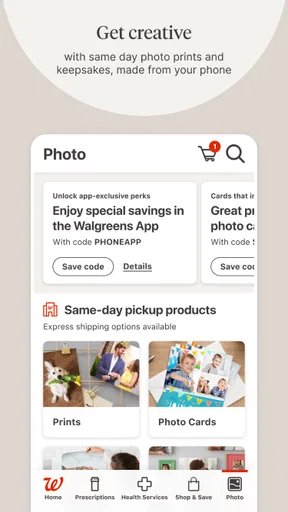
Photo tasks and general shopping have their own practical checks. Make sure you are in the right part of the app, confirm the item or order details shown, and avoid treating a browse or selection screen as proof that an order has been completed. If the interface is not clear, a patient second look is better than starting over blindly. These steps sound modest, but they help distinguish a navigation mistake from a genuine service problem.
When the app may not be the cause
Not every missing result or delayed-looking screen means the app itself has failed. The account may not be the one you meant to use, the information may need another check, the phone may have lost its connection, or the task may require help from the pharmacy or store. I would test the simple explanations first, then move to a person when the answer matters more than continuing to tap through screens.
It is also worth distinguishing an app problem from a service limitation. A combined shopping and pharmacy app can help organize errands, but it cannot make every product, offer, or pharmacy request behave identically. If you need a specific answer about availability or a prescription, direct confirmation is often the more dependable choice. If your main goal is comparing products across many retailers, a broad shopping marketplace may suit you better than an app centered on one chain.
Walgreens has a 4.6 average from around 1.6 million ratings, and it has been installed over 10 million times. Those figures suggest that it is widely used, but they do not tell me whether it will fit an individual’s routine. Its age rating is Everyone, which makes the audience broad; the real question is whether you shop at Walgreens or use its pharmacy services often enough to benefit from keeping the app.
Who gets the most from keeping it
I would recommend it to people who already make Walgreens part of their regular errands and want pharmacy and retail tasks in one place. It is especially sensible for someone who likes checking details before leaving home, looking for relevant coupons, or handling routine account tasks from a phone. Its long history, dating to June 3, 2010, and its current version show that it is an established product, though I would still judge it by how smoothly it handles the specific tasks I need.
A realistic use case is a person planning a quick stop after work. They can check the app before leaving, review a relevant offer, and look at the pharmacy area if a prescription task is part of the trip. The practical advantage is having several Walgreens-related errands within one app; the sensible backup is to call the store or pharmacy if timing or an unclear status could affect the plan.
It may be the wrong choice if you rarely visit Walgreens, prefer to keep pharmacy and retail accounts separate, or mainly want a tool for comparing prices across competing stores. A dedicated pharmacy app may feel more focused for someone who wants only prescription management, while another retailer’s app is a better fit for shopping elsewhere. I would not install this one expecting it to serve as a universal health record, a broad price-comparison service, or a replacement for professional pharmacy advice.
My verdict is that Walgreens is useful when its range matches your actual errands, not simply because it gathers many tasks under one icon. I would set it up before I need it, use it for routine planning and shopping, and treat unclear or urgent pharmacy issues as a reason to contact a person. That balance lets the app save effort without asking it to do more than a retail and pharmacy app reasonably can.
My practical recommendation: keep it if Walgreens is already part of your routine; skip it if you want a focused tool for a different pharmacy or a shopping service that compares many retailers. The app’s broad usefulness is real, but the best experience comes from knowing which task you are using it for and when a direct conversation is the better next step.
Pros and cons
Pros
- Prescription refills can be requested through the app.
- Digital coupons make it easy to find available savings.
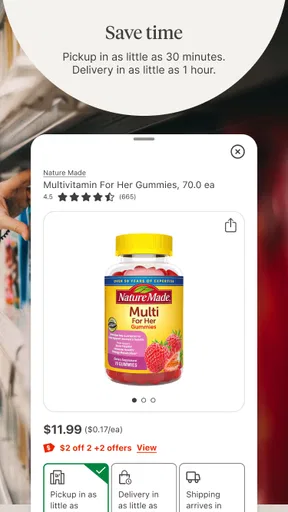
- Store pickup offers a convenient alternative to delivery.
- The store locator helps users find nearby Walgreens locations.
- Photo printing options are available from a mobile device.
Cons
- Some features may require a Walgreens account.
- Prescription services depend on pharmacy availability.
- Coupon terms and exclusions can be confusing.
- App performance may vary across devices.
- Delivery options and fees can differ by location.


